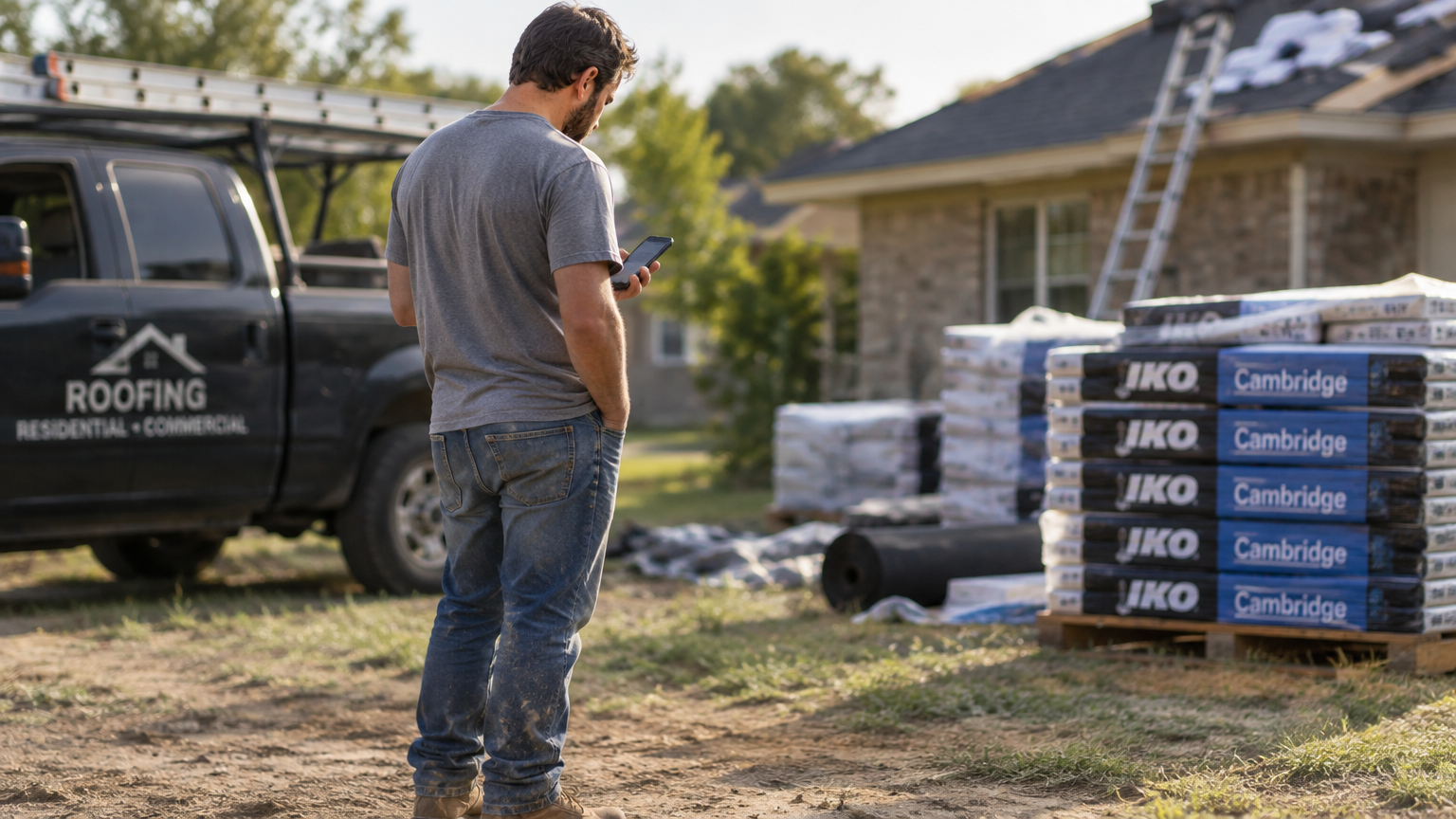


You’re knee-deep in hail season. Three crews are chasing storm leads, your CSR can’t keep up with inbound calls, and someone from last week’s inspection still hasn’t gotten a follow-up. Finding the best roofing CRM means finding the platform that closes those gaps. In 2026, the strongest options have moved beyond contact management to full operating systems that connect leads, crews, dispatch, and payments in a single platform.
A note on perspective: This article is written by Zuper, so we’re biased. We’ll show you what each of the seven platforms does well and where each falls short, so you can decide what fits your operation. Rankings reflect our editorial assessment of AI and automation capabilities for field-facing operations, with field impact weighted above aggregate review scores.
Best Roofing CRM Platforms of 2026
| Platform | Best For | Strongest Capability | AI Capabilities | Average Review Score | Time to First Value |
|---|---|---|---|---|---|
| Zuper | Growing and scaling roofing companies | Hands-free AI field documentation, dispatch assistant, and 24/7 customer response | Field and office AI: voice notes, job summaries, Dispatch Assistant, CSR Agent | 4.6/5.0 (Capterra 4.5 – 53 reviews, G2 4.7 – 152 reviews) |
6–8 weeks |
| AccuLynx | Mid-to-large insurance restoration contractors | Xactimate supplement workflow and direct supplier integrations | Office-facing AI: lead scoring and pipeline prioritization | 4.4/5.0 (Capterra 4.6 – 846 reviews, G2 4.2 – 36 reviews) | 2–4 weeks |
| JobNimbus | Residential shops wanting a fast start | Kanban production boards and direct supplier ordering | Scout voice assistant (in beta), AssistAI phone answering, and basic workflow automation | 4.6/5.0 (Capterra 4.6 – 482 reviews, G2 4.5 –
144 reviews) |
1–2 weeks |
| ServiceTitan | Multi-trade operations doing $10M+ annually | Enterprise reporting and AI across every business function | Enterprise AI: invoice summaries, AI-powered booking agents, ad optimization, and GPS-tracked field tools | 4.4/5.0 (Capterra 4.3 – 338 reviews, G2 4.4 – 375 reviews) | 2–6 months |
| Roofr | Small teams focused on winning proposals fast | Instant address-based roof estimation before any phone contact | Automated task triggers and automated instant estimation | 4.8/5.0 (Capterra 4.6 – 101 reviews, G2 4.9 – 45 reviews) | 1–2 weeks |
| Contractors Cloud | Mid-size contractors wanting full project oversight | Milestone tracking, change orders, and job costing in one searchable record | AI-connected via MCP server: bring Claude, ChatGPT, or other AI tools into the platform; no proprietary AI built in | 4.5/5.0 (Capterra, 32 reviews) | 2–3 weeks |
| RoofLink | Contractors focused on where the margin goes | Real-time estimated vs. actual job costing throughout production | Limited; focused on financial analytics rather than automation | 4.9/5.0 (Capterra, 10 reviews) | 3–4 weeks |
Platform Reviews
1. Zuper, for AI That Works on the Roof, Not Just Behind a Desk
Let’s start with what the platform actually does for a field crew.
Your crew finishes a hail inspection in suburban Denver. Forty photos, three damage areas, and one verbal observation were made on the way down the ladder. Without a good system, that information sits in a phone camera roll until someone has time to type it up. By then, half the context is gone, and the office is calling for clarification.
With Zuper’s AI Voice Notes, your crew talks through the damage on the roof, and the notes are in the job record before they’re back at the truck. For jobs where photos and narration need to travel together, AI Walkthrough Note combines photos, video, and spoken notes into one structured job record.
Zuper is built as an AI Operating System for Roofing. The platform covers the full scope of field operations, from leads through scheduling, dispatch, documentation, invoicing, and payments in one place. That distinction matters when you’re evaluating whether to add another tool to your stack or replace the stack entirely.
Zuper built this AI for roofers who work with their hands in the field. Notes go into the job record before they’re back at the truck. That’s the practical case for Zuper as the best roofing CRM for field-heavy operations.
Key capabilities:
- AI Voice Notes: Tap the mic in any notes, checklist, or inspection field, speak the observation, and review before saving. Faster than typing on a steep pitch, and the note is in the job record the moment the crew saves it.
- AI Walkthrough Note: Combines photos, video, and spoken notes into a single structured job record, so the full site documentation travels together.
- AI Job Summary: Pulls job status, assignments, timeline, tasks, and parts into a clean recap so your office doesn’t have to chase crews after every site visit.
- CSR Agent: Handles inbound calls, books inspections, checks job status, and sends payment links by SMS at any hour without human intervention. During a December 2025 storm surge, A&A Roofing used the CSR Agent to handle a 458% spike in inbound calls without pulling a single crew member off the roof.
- Dispatch Assistant: Shortlists the best-fit techs by skill, base location, availability, and existing schedule so your dispatcher assigns with data instead of guesswork.
- Zuper Glass: Wearable AI that captures what crews see and say, hands-free, converting it into structured job documentation in real time.
- Supplier ordering: Direct material ordering through SRS Distribution, ABC Supply, and QXO, with real-time pricing integrated into the job estimate.
Maven Roofing cut tech costs by $250 per employee per month and saved 8 hours per person per week after implementing Zuper. Read their full customer story here.
Average Review Score: 4.6/5.0
Services Offered: CRM, estimating and quoting, inspection management, scheduling and dispatch, job costing, supplier ordering,invoicing, payments, 24/7 AI customer response
|
Summary of Online Reviews |
|---|
|
Contractors describe Zuper as “a central nervous system for field operations” that centralizes dispatching, job tracking, and team coordination in one place. Scheduling and dispatching draw consistent praise for being “highly customizable” and “smoother than our old system,” with field crews specifically citing the mobile app as “a huge plus for team members checking their schedules out in the field.” The most noted limitation is initial configuration: “the backend management side can feel a bit overwhelming when you’re first trying to customize the settings and workflows for your specific team.” Though once past setup, G2 reviewers describe the platform as “very intuitive and easy-to-use on both desktop and mobile, making training the team fairly easy.“ |
2. AccuLynx, for Insurance Restoration Contractors
Your supplement specialist just wrapped up a call with an adjuster who requested additional documentation before approving your estimate. AccuLynx is built specifically for this moment. If you run a mid-to-large insurance restoration operation and spend significant time managing supplement documentation, permit tracking, and supplier orders, it’s the most purpose-built option in this comparison.
Key capabilities:
- Insurance workflow: Native supplement, permit, and mortgage check tracking built directly into the job record
- Supplier ordering: Direct connections with ABC Supply, QXO, and SRS Distribution for real-time material pricing and ordering from within the platform
- Lead intelligence: AI-powered lead scoring to prioritize follow-up and focus your sales team on the highest-value prospects
- Project management: Shared scheduling calendar, custom proposals, and contract signing in one platform
- Support: White-glove U.S.-based onboarding and customer support included at no extra cost.
AccuLynx reports that contractors see an average of 9 hours of weekly admin savings and a 32% average increase in total job profits after year one.
Two limitations worth knowing before you demo. Pricing climbs as you grow: a long-time Capterra reviewer noted, “the pricing continues to increase without any new features; all new features are additional cost.” Per-seat pricing adds up fast when you’re bringing on seasonal crews for storm response. The mobile app also receives consistent complaints on Capterra, G2, and Software Advice, with multiple reviewers reporting crashes, slow load times, and functionality that lags behind the desktop experience. If your crews rely on phones during inspections, test the mobile experience hard before you commit.
Average Review Score: 4.4/5.0
Services Offered: CRM, aerial measurement ordering, estimating, scheduling and production management, supplement and permit tracking, job costing, proposals and e-signatures, supplier ordering, reporting
|
Summary of Online Reviews |
|---|
|
Contractors describe AccuLynx as a “reliable all-in-one CRM that keeps our operations running smoothly,” with one May 2026 reviewer noting that “from permits and documents to customer communication and invoicing, everything is tied to the job.” Supplier integrations and insurance restoration pipeline management are consistently highlighted as differentiated strengths. The most-cited limitation is a tiered add-on structure in which features such as e-signatures, texting, and the customer portal incur costs beyond the base subscription, with reviewers noting that “all new features are additional costs to implement, and they are all expensive.” |
3. JobNimbus, for Residential Crews Who Want a Fast Start
Most small residential roofing shops manage their pipeline on a whiteboard: jobs in columns, crew names on sticky notes, someone updating the board when they remember to. JobNimbus mirrors that mental model exactly. The production boards are designed around how crews already think about job stages, and most teams are up and running within one to two weeks.
Key capabilities:
- Production boards: Customizable boards that give crews and office staff a shared visual view of every job stage and where each one stands
- Supplier ordering: Direct material orders via ABC Supply, Beacon PRO+, and SRS Distribution from within the job record
- Communications: JobNimbus Engage texting to consolidate fragmented SMS workflows into a shared inbox with multiple numbers
- Payments: Built-in invoicing and financing options for faster cash collection after close
- Free trial: 14-day trial with no credit card required, so you can test fit before committing
- AI tools: Scout voice assistant (in beta) for field documentation and AssistAI for AI-powered phone answering
Three limitations to know before signing. JobNimbus is built for residential work: commercial roofing contractors who need vendor portals or customer portals won’t find them here. The email notification system has well-documented reliability issues that the company acknowledges are on the 2026 roadmap but haven’t shipped yet. The mobile app has documented crash issues on both iOS and Android, which is worth testing specifically during the 14-day trial before your crews rely on it in the field. During storm restoration work, a crash at the wrong moment while documenting is a real operational risk.
Average Review Score: 4.6/5.0
Services Offered: CRM, estimating, production boards, scheduling, invoicing, financing and payments, communications, supplier ordering, reporting
|
Summary of Online Reviews |
|---|
|
Contractors describe JobNimbus as a platform that “brings everything into one place” for residential jobs, with one April 2026 Capterra reviewer noting that task tracking and workflow automation keep jobs moving “from start to finish without things slipping through the cracks.” Others call it a “great tool for roofers” with an invoice and payment system that works well. Consistent criticisms on Capterra are email notification delivery gaps and a mobile app that crashes on iOS and Android. |
4. ServiceTitan, for Large Multi-Crew Operations
ServiceTitan is the most feature-complete platform in this comparison and the one that demands the most from your team to implement. With a 2–6 month onboarding window, it’s engineered for multi-trade operations doing $10M+ annually. For a residential shop running 5–8 crews, the depth of functionality here exceeds what most of those teams will use.
Key capabilities:
- Atlas AI: Invoice summaries, AI-powered booking agents, and ad performance optimization across the full business
- Field tools: GPS-tracked timesheets and mobile job updates that feed directly into enterprise-level reporting, giving dispatchers real-time crew visibility across every active job
- Multi-trade support: Works across roofing, HVAC, plumbing, and other trades in one platform for contractors running multiple service lines
- Marketing automation: Full-cycle attribution from ad spend to closed revenue
- Reporting: Enterprise-grade dashboards across every business function, from booking rates to job profitability
ServiceTitan is designed for roofing companies doing $10M+ annually. Implementation runs 2–6 months, and it’s priced for enterprise operations. Running a $2–5M residential operation means paying enterprise prices for a scale of workflows most residential contractors won’t use.
Average Review Score: 4.4/5.0
Services Offered: CRM, scheduling and dispatch, invoicing and payments, service agreements, marketing automation, AI automation, enterprise reporting
|
Summary of Online Reviews |
|---|
|
Multi-trade contractors describe ServiceTitan as a platform that “covers everything from inventory and scheduling to calls and customer data,” with reporting depth cited as the primary reason contractors stay despite the cost. The consistent criticisms are implementation complexity (“it takes a long time to onboard and set things up properly”) and pricing, which multiple G2 and Capterra reviewers describe as cost-prohibitive for teams with fewer than 15 technicians. |
5. Roofr, for Teams That Win on Proposal Speed
Roofr wins on proposal speed and trails on production depth. That’s the defining tradeoff. For contractors who want to capture leads and deliver signed proposals before a competitor’s estimator shows up, nothing in this comparison matches Roofr on that specific workflow.
Key capabilities:
- Instant Estimator: Automated roof quotes delivered to homeowners by address, capturing job scope before any phone contact takes place
- Measurement reports: 2-hour guaranteed delivery on Essentials and above
- Proposal builder: Clean, professional templates included in a platform rated highest for ease of use on G2 in the roofing category
- Payments: Built-in credit card and ACH processing for fast collections after close
- G2 recognition: Spring 2026 Leader for ease of use in the roofing category
Roofr handles pre-sale workflows well and post-sale operations less so. No native iOS or Android app as of mid-2026; Roofr ships a mobile-optimized web app instead. On base plans, production tracking, crew coordination, and field operations management are limited; the Scale plan adds crew management, job costing, and performance dashboards, but these still trail dedicated field operations platforms in depth. Most contractors using Roofr pair it with a second platform to manage production. If you’re already paying for multiple tools and want to consolidate, factor that into your total cost comparison.
Average Review Score: 4.8/5.0
Services Offered: Measurements, estimating, CRM, proposals and e-signatures, invoicing and payments, material ordering
|
Summary of Online Reviews |
|---|
|
Users describe Roofr as the platform that made them “never do takeoffs manually again,” praising its “clean and quite streamlined” layout and responsive customer support. One contractor who’d switched from JobNimbus called it “the easiest to use of all the tools” at a price point competitors couldn’t match. The consistent limitation is the absence of a native mobile app, with field operations features varying significantly by plan. |
6. Contractors Cloud, for Full Project Oversight
Contractors Cloud organizes your entire production lifecycle into one searchable job record. Every change order, milestone update, crew schedule, and photo lives in the same place you’re pulling from when the invoice is due. The platform connects leads, sales, production, and field operations so your office and field teams always read from the same record.
Key capabilities:
- Project oversight: Milestone tracking, change orders, and photo documentation tied to searchable job records that your office and field teams share
- Crew scheduling: Calendar-integrated crew coordination and work order management, with installer scheduling and trade-specific filtering for field teams on active jobs
- Job costing: Estimate-to-actual cost comparison and progress billing throughout the project lifecycle
- Marketing: Automated email alerts and lead source tracking to measure which channels are producing jobs
- Financial management: Estimate-to-invoice conversion with accounting integration
Contractors Cloud markets itself as “AI-first” and has built an MCP server that lets you connect Claude, ChatGPT, or other AI tools to work directly within the platform. That’s a real and useful capability. The key distinction from platforms like Zuper or ServiceTitan is architectural: Contractors Cloud provides the data structure, and you bring the AI, rather than the AI being built into the job workflow itself. No proprietary AI features are operating automatically in the field.
Average Review Score: 4.5/5.0
Services Offered: CRM, estimating, proposals and e-signatures, project management, crew scheduling, material ordering and supplier management, permit management, job costing, invoicing and payments, document and photo management, reporting
|
Summary of Online Reviews |
|---|
|
Contractors highlight the platform’s all-in-one job record, with one reviewer writing, “I love the one-stop access to all of our info. Calendar, Customer Info, Scheduling, Production, and Company Cam Integration is awesome!” The most cited limitations are an interface that a 2020 reviewer said “did not have a modern look or interface” and a mobile platform that field crews found harder to use than the desktop version. Both observations predate the platform’s recent MCP release and may not reflect the current product. |
7. RoofLink, for Profit-Focused Operations
Revenue looks solid, but the margin keeps coming in lower than estimated. By the time you catch it, the job is closed, and the money is gone.
RoofLink targets this problem directly. The platform’s real-time job costing compares estimated vs. actual material costs at the job level throughout production, while costs are still controllable. Your rep updates the job status and captures on-site photos; the platform tracks cost variance against the original estimate as the job progresses.
Key capabilities:
- Real-time job costing: Estimated vs. actual material costs tracked throughout production
- Pipeline management: Lead capture, proposal delivery, and contract signing in one workflow
- Mobile field tools: On-site job status updates, photo capture, signature collection, and payment processing for reps working active jobs
- Profit analytics: Reporting to identify which job types, rep performance, and material choices generate the best margins
- Accounting sync: QuickBooks integration for financial reconciliation
The tradeoff is scope. RoofLink’s AI and workflow automation trail the options above. Compared to platforms with native AI and dedicated field dispatch, RoofLink’s automation depth is narrower. It works well for contractors who want a complete sales-to-collection workflow in one rep’s hands but aren’t prioritizing AI-driven field operations.
Average Review Score: 4.9/5.0
Services Offered: CRM, real-time job costing, estimating, proposals, mobile field updates, and payments
|
Summary of Online Reviews |
|---|
|
Contractors on Capterra describe RoofLink as “all-in-one roofing CRM software” that manages leads, estimates, materials, staff, jobs, and invoices on a single platform, with multiple reviewers praising its deep customizability and several saying they switched from AccuLynx for better value. One reviewer summed it up as “Incredible Automations and everything is already included!” The most cited limitations are feature depth; one reviewer described it as a platform that “did what we needed it to do but did not have many bells or whistles,” and limited visibility into job size and materials. |
How to Choose the Right CRM for Your Operation
You’ve read seven reviews. Now the question is fit. Here’s the frame that’ll focus your demo conversations and keep sales reps from showing you features that don’t solve your problem.
| Buying Factor | Why It Matters for Roofers | What to Ask Every Vendor |
|---|---|---|
| AI built for field crews | Office-only AI doesn’t help your installer on a steep pitch, trying to log damage mid-inspection | “Can my crew document jobs hands-free from their phones on-site, without stopping work?” |
| Per-seat vs. flat-rate pricing | Storm season means temporary headcount; per-seat models charge you for every seasonal hire. | “Does adding a temporary worker for three months raise my software bill? |
| Insurance workflow depth | Supplement documentation and carrier-friendly photo packages take hours without the right tools | “Does your CRM produce supplement-ready documentation, or does it just store photos?” |
| Offline mobile mode | Cell service fails in rural areas, attics, and after major storms when you need it most | “Can my crew update jobs, capture photos, and log notes without cell service?” |
| Routing the right crew to the right job | Sending your closest crew vs. your most qualified crew are two different calls on complex jobs | “Does dispatch factor in skill level and job complexity, or just location?” |
| Integration with your existing stack | If you’re running QuickBooks, Hover, and a supplier account, check for direct sync before you commit | “Which integrations are native vs. requiring a third-party connector like Zapier?” |
The Top Roofing CRMs in the US by Specialty
We also broke down the top platforms into three subcategories based on specialty:
The Top Roofing CRMs in the US by AI-Driven Field Automation
- Zuper: AI Voice Notes, AI Job Summary, CSR Agent (24/7 call handling), Dispatch Assistant, Zuper Glass (wearable documentation)
- ServiceTitan: Atlas AI covering invoice summaries, AI-powered booking agents, and ad performance optimization
- JobNimbus: Scout voice assistant (in beta) and AssistAI phone answering
- AccuLynx: AI-powered lead intelligence scoring for pipeline prioritization
- Roofr: Automated task triggers and automated instant estimation
The Top Roofing CRMs in the US by All-in-One Consolidation
- Zuper: Replaces 5–7 disconnected tools; covers CRM, dispatch, field documentation, invoicing, and payments in one platform
- AccuLynx: Largest native roofing feature set, from lead intake through supplier ordering
- JobNimbus: CRM, production boards, billing, and supplier ordering in one residential-focused platform
- Contractors Cloud: Project oversight with milestone tracking and integrated financial management
- ServiceTitan: Full enterprise stack across multiple trade lines for large operations
The Top Roofing CRMs in the US by Field Crew Adoption
Ranked by how quickly new crews get comfortable and productive on the platform, weighted toward interface simplicity and onboarding speed, not AI depth or overall field impact.
- JobNimbus: 4.6-star Capterra rating (482 reviews), fast onboarding, board-based interface, crews adopt quickly
- Zuper: Mobile-first with offline mode, voice input, and crew-focused field views built for roofers
- AccuLynx: Dedicated mobile labor management (with noted limitations on app speed)
- Contractors Cloud: Crew scheduling and work order management integrated into the project record
- Roofr: G2 Spring 2026 Leader for ease of use in the roofing category (browser-based only; no native mobile app as of mid-2026)
The Best Roofing CRM for Field Teams Runs on AI in 2026
The platforms above each solve a real problem for a specific type of contractor. AccuLynx owns insurance restoration depth. JobNimbus gets residential shops running fast. ServiceTitan handles the scale complexity that multi-location operators need.
Zuper is the roofing CRM where the AI works in the field, not just the office: voice notes on the roof, hands-free capture, and 24/7 call handling in the same platform that runs dispatch and payments. Stop paying for 5–7 separate tools. Stop chasing crews for information that your platform should capture automatically. Your CSR Agent handles calls at peak demand while your crews stay in the field. Your dispatcher routes the right person to the right job with decision support, assigning with data instead of guesswork.
That’s what roofing CRM software should look like in 2026.
Ready to see it in action? Schedule a demo with Zuper and bring your biggest time drain to the call. We’ll show you exactly where it fits.