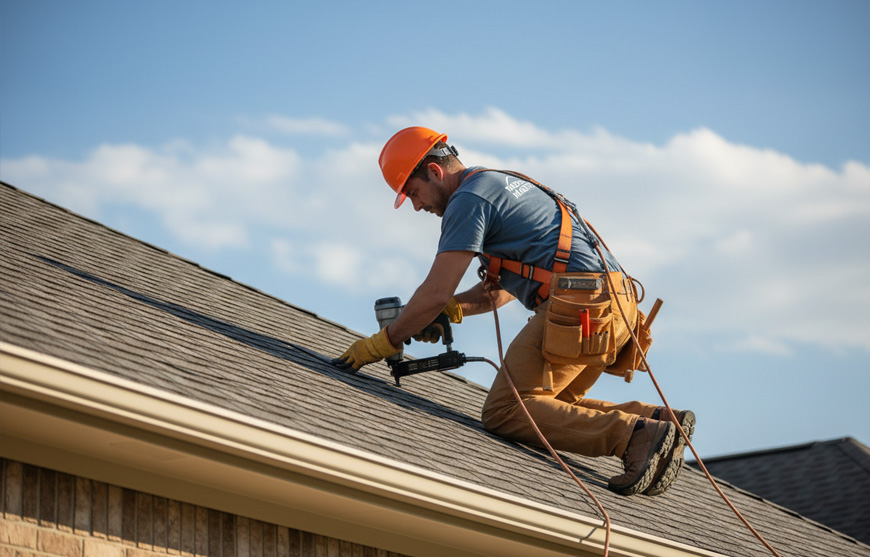


You finish a hail inspection, climb down from the roof, and find three missed calls from the office. The photos are on your phone, the damage notes are in your head, and the estimator still needs a clean scope before the homeowner signs with someone else. That gap between field work and office work is where roofing companies lose time, details, and jobs.
Zuper is the only AI-native Roofing CRM Software for roofers, unifying leads, jobs, and payments.
The best all-in-one roofing CRM closes that gap by consolidating leads, inspections, estimates, crew coordination, job updates, invoices, and payments into a single operating system. Zuper’s roofing platform brings leads, jobs, field documentation, scheduling, dispatch, estimates, invoicing, and payments into one workflow.
This 2026 buying guide explains what to look for, when an all-in-one platform makes sense, and how AI helps roofers on the roof and the people behind the desk.
Comparing Roofing Software Solutions
| Buying Area | Multiple Point Tools | All-In-One Roofing Platform | Roofing Outcome with All-in-One |
|---|---|---|---|
| Leads And Customer Records | CRM, spreadsheets, and inboxes | Shared lead and job record | Fewer missed follow-ups |
| Inspections And Documentation | Photos, texts, and handwritten notes | Photos, notes, forms, and measurements stay with the job | Better claim and estimate documentation |
| Estimates And Proposals | Separate estimator or templates | Quotes built from aerial measurements and job details | Faster quote preparation with less re-entry |
| Scheduling And Dispatch | Calendars, texts, and manual coordination | Assignments based on skills, availability, location, and workload | Fewer conflicts during weather delays or storm surges |
| Customer Updates | Manual calls and messages | Automated call and message workflows | Fewer status calls |
| AI And Automation | Add-on tools with limited job context | AI Voice Notes, AI Walkthrough Note, AI Job Summary, and AI CSR Agent | Less typing and office follow-up |
| Invoicing And Payments | Accounting and payment tools handled separately | Quotes, proposals, invoices, and payment records stay connected | Fewer missed billing steps |
| Mobile Access And Integrations | Several logins and disconnected systems | Mobile workflows, offline access, and connected business tools | Less app switching for crews and office staff |
When To Choose An All-In-One Platform
An all-in-one platform makes sense when the same information gets entered more than once. If you’re copying leads between systems and texting the crew, that signals a broken handoff. Contractors comparing the best all in one roofing CRM can start by mapping those handoffs.
Choose an all-in-one platform when you need one workflow for lead capture, inspection, estimating, scheduling, production, billing, and payment collection. Zuper’s roofing platform brings leads, estimates, crews, jobs, and payments into one system.
Multiple standalone tools can still make sense for a narrow need. Keep a specialist measurement, accounting, or marketing tool when its output lands automatically in the core job record. Replace tools that force your team to copy the same information into multiple systems.
For a broader view of how roofing companies build their tech stack, compare primary platforms and supplements in our guide to what software roofing companies actually use.
How The Best All-In-One Roofing CRM Works In The Field
Judge roofing software from the roof down. Ask what a field lead can do with gloves on, weak cell service, a customer waiting in the driveway, and an adjuster who needs proof before the day ends.
1. Field Documentation Must Follow The Work
The app lets crews capture photos, video, notes, signatures, and checklists without leaving the job. Zuper’s roofing software includes photo and video capture, annotations, offline mobile access, and inspection workflows that connect measurement data to the job record.
That matters during a steep inspection or a storm response shift. A complete record gives the estimator better evidence and gives the office fewer reasons to call the crew back.
2. Estimating Starts With The Inspection Record
The best roofing estimate software connects measurements, line items, photos, notes, proposals, approvals, signatures, and payment steps. Zuper’s Roofing Estimate Software supports quotes and proposals, while Zuper’s proposal documentation outlines the signing workflow that marks a proposal as approved once the required signatures are complete.
That process gives the estimator one place to review measurements, pricing inputs, and job details before building the quote. It also gives the office a clearer view of which estimates are waiting, approved, or stalled.
3. Scheduling Reflects Real Crew Conditions
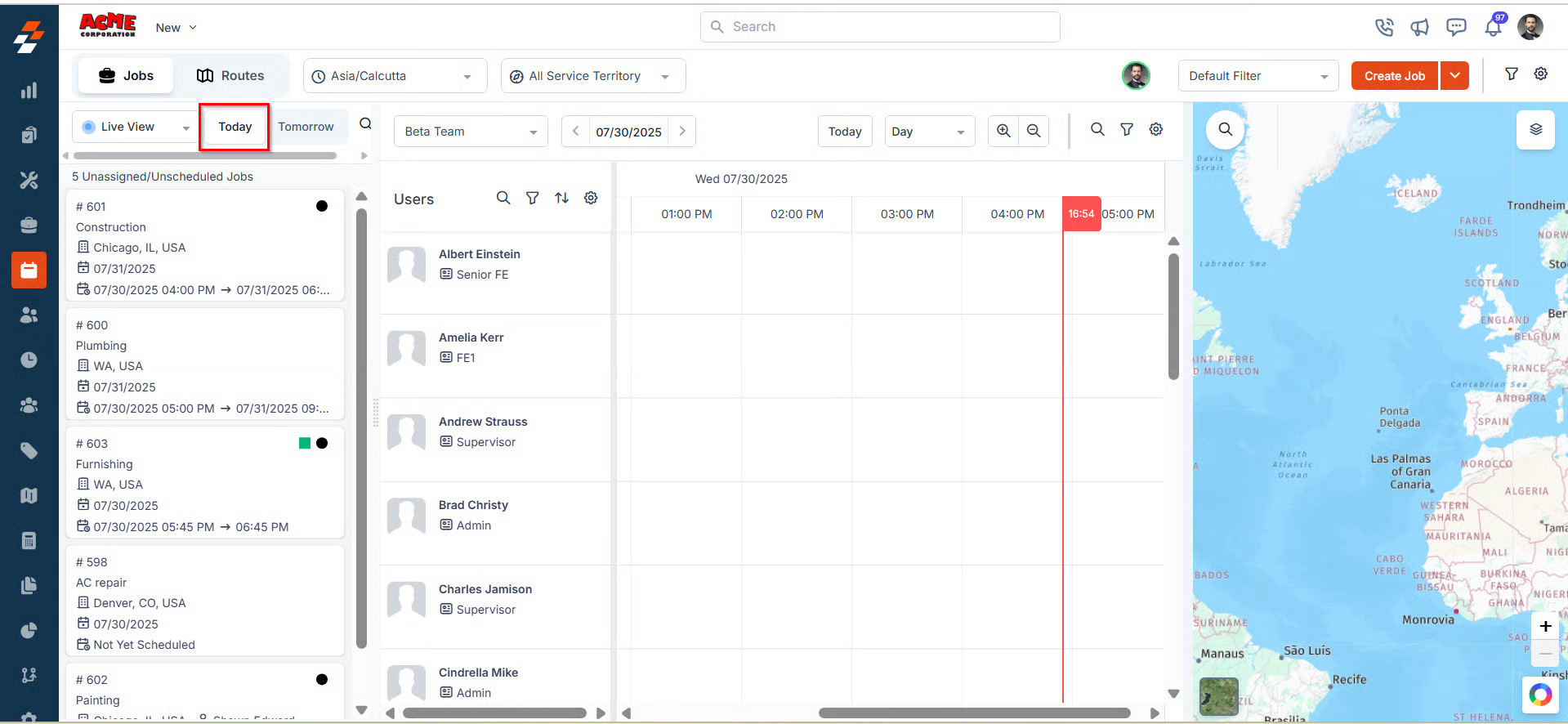
Roofing schedules change when rain arrives, materials are late, a crew member calls out, or an emergency inspection takes priority. Look for scheduling based on availability, base and job location, and qualifications, plus dispatch tools that show conflicts before they hit the customer.
Zuper’s Assisted Scheduling and Dispatch Assistant tools use availability, skills, shifts, territories, existing assignments, workload, and location to help dispatchers find suitable technicians and reduce unnecessary travel.
4. The Job Record Continues Through Payment
A CRM that stops after the sale leaves production and finance to rebuild the job. The stronger model keeps work orders, progress updates, invoices, approvals, and payment status together. Zuper’s roofing platform includes job management, invoicing, and payment collection alongside CRM and field workflows.
Use Zuper’s Roofing CRM Software to evaluate lead ownership, follow-up, inspection records, crew coordination, and job history.
AI Takes The Typing Out Of Roofing Work
AI in roofing software answers a practical question: what task can your crew stop doing by hand? For a field team, AI matters when it captures work as it happens, turns raw input into a usable record, and leaves a clear trail for the office to review.
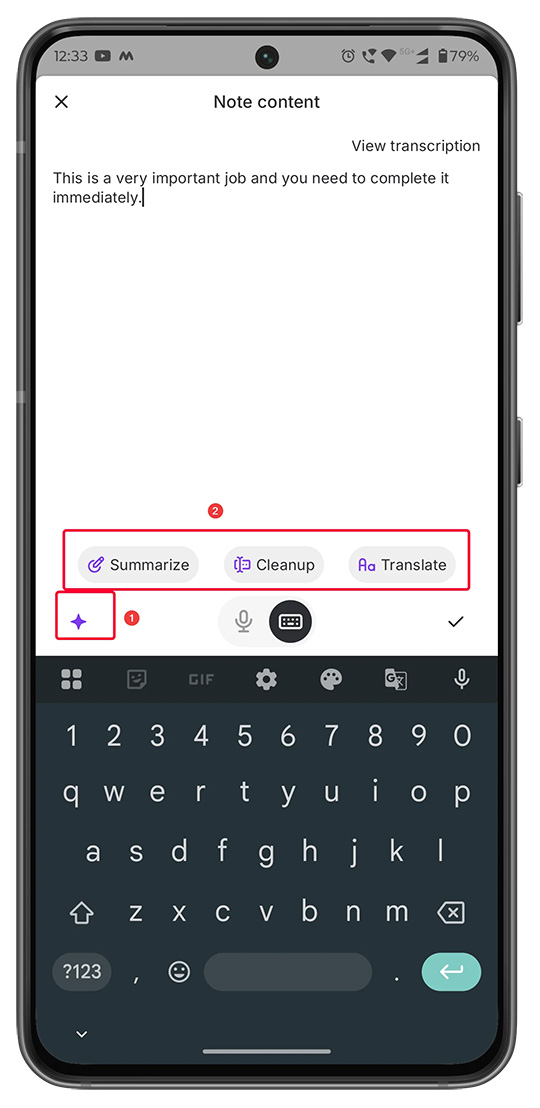
- AI Voice Notes lets technicians speak instead of type in job notes, checklist fields, and inspection forms. Zuper AI transcribes the recording into structured text. The feature also supports AI actions to summarize, clean up, and translate notes into 17 languages after review.
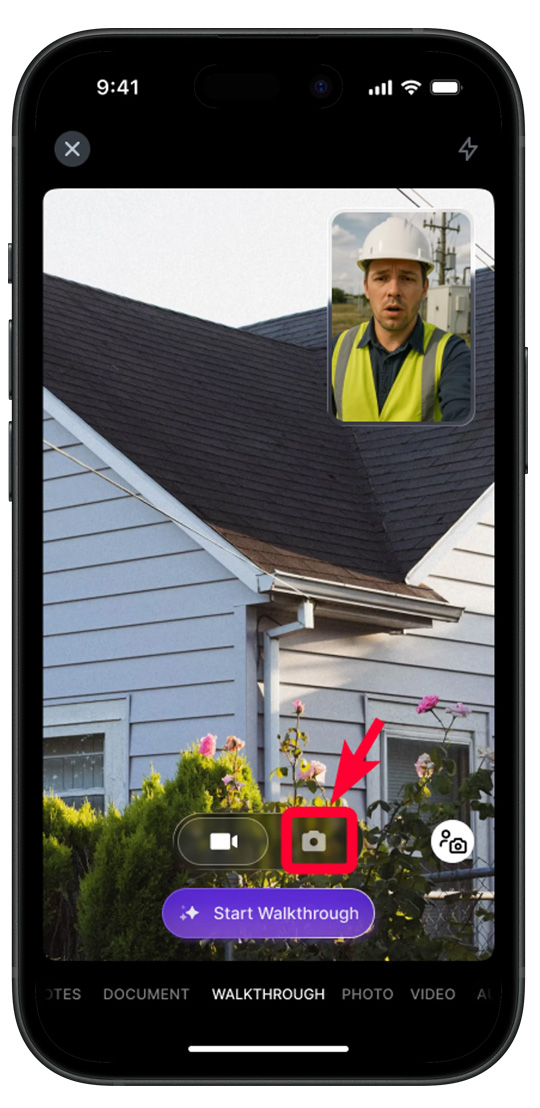
- AI Walkthrough Note lets field technicians capture photos, video, and audio during a job. Zuper AI transcribes and summarizes the audio, then combines it with the captured media to create an organized job note.
- AI Job Summary provides a structured overview of job category, status, assignment, timeline, service tasks, parts, services, expenses, and related records inside the Job Details page.
- Zuper Glass extends hands-free capture to smart glasses. Zuper says the glasses capture photos, video, and voice notes via taps and voice commands, sync captures to the correct job, provide offline storage for up to an hour of video or 10,000 photos, and offer an eight-hour battery life.
AI-assisted inspection documentation still needs boundaries. Zach Gardner, Chief Architect at Keyhole Software, argues in a Zuper blog interview that teams need access controls, data lineage, defined system boundaries, and reviewable actions before AI changes a customer or job record. Ask whether the system keeps the source photo, shows where a note came from, and lets a qualified person review the result.
Connected Workflows Reduce Admin Time
Connected workflows matter when one action creates the next useful action. A new lead receives an owner, an approved estimate creates production steps, dispatch sees the right crew, and completed work moves toward invoicing and payment without another spreadsheet.
During storm season, the value shows up in the handoffs. A lead can enter after hours, aerial measurements and job details can land in one record for the estimator, dispatch can see which crew is available, and the office can track payment status from the same job record.
Zuper’s AI CSR Agent answers inbound calls and can book a job, check an existing appointment, reschedule a job, and send quote, invoice, or payment links by SMS. See the AI CSR Agent documentation.
Each handoff removes a manual lookup or duplicate entry. Zuper’s mobile app supports offline access for assigned jobs, job details, status updates, checklists, notes, attachments, service tasks, and inspection forms, with documented limitations for quotes and invoices. See the Zuper Offline documentation.
Questions To Ask Before You Buy
A polished demo can hide a difficult field workflow. Ask the vendor to show a hail inspection from first call to payment, including weak connectivity, photo documentation, a material delay, a crew reassignment, and a customer status request.
Also ask who owns the data, what happens when an AI suggestion is wrong, how quickly the mobile app syncs, and whether your accounting or measurement tools connect to the job record. Zuper offers more than 60 integrations, including QuickBooks, Hover, EagleView, GAF, suppliers, and CRM systems.
Before you buy, test six actions:
- Capture an inspection
- Work offline
- Reassign a crew
- Change the schedule
- Approve an estimate
- Review an AI-generated record.
Each action should update the same job without rebuilding information.
Why Zuper Is More Than A Roofing CRM
The best all in one roofing CRM fits the work your field team does during an inspection, the decisions your dispatcher makes during a storm surge, and the records your office needs after the job.
Zuper’s platform connects customer records with jobs, field documentation, estimates, scheduling, dispatch, invoicing, payments, mobile work, and AI tools.
Roof Doctors reports a 40% drop in missing compliance photos after adopting AI Voice Notes. Maven Roofing reports that its close rate rose from 30% to 70% after using Intelligent Quoting. Ask how those workflows compare with your team’s starting process.
For a side-by-side look at AI-first options, see Best AI Roofing CRM Software in 2026.
Choose The Roofing Platform That Keeps Field Work Moving
If your crew is still typing the same inspection details twice, sending photos through text, or waiting for the office to rebuild a job, you’re paying for software that creates more admin work. The best all in one roofing CRM connects the work your roofers do with the records your office needs, then uses automation and AI to reduce admin labor at every handoff.
Zuper brings that approach together in one AI-native platform for field and office operations. See how the best all in one roofing CRM can reduce roofing admin work with a Zuper demo.